
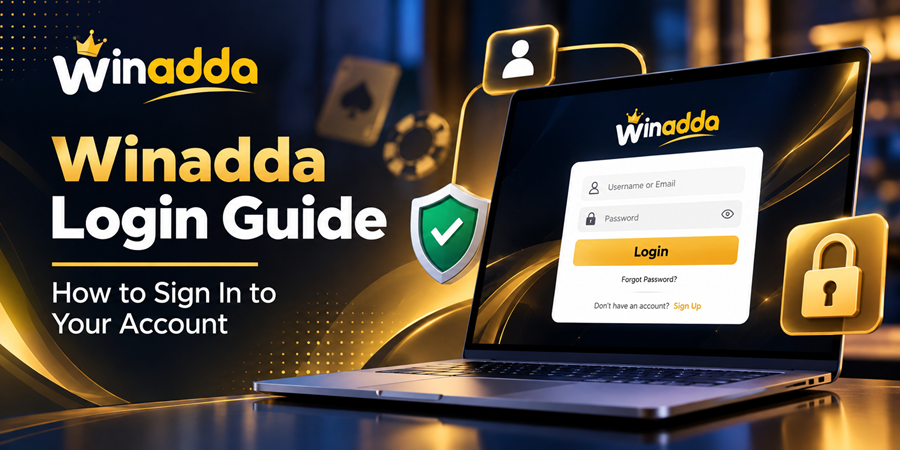
 Winadda Login Guide: How to Sign In to Your Account
 2026-10-08
Accessing your Winadda account is simple when you use the official website and your registered account credentials. Whether you are returning to your account or accessing it from another supported device, following the correct login process can help you sign in smoothly.
In this guide, we explain how the Winadda login process works, what you may need to access your account, and what you can do if you experience common login problems.
What Is Winadda Login?
The Winadda login is the sign-in process for registered users who want to access their existing Winadda account.
If you already have an account, you can use the Winadda login page to enter your registered account details and sign in.
If you are new to Winadda and do not have an account yet, you can visit the Winadda registration page to create an account before attempting to log in.
How to Login to Winadda
Follow these general steps to access your Winadda account.
Step 1: Visit the Official Winadda Website
Open your preferred web browser and visit the official Winadda website.
Before entering any account information, always check that you are using the correct website address. Avoid entering your credentials on unknown or suspicious websites.
Step 2: Open the Winadda Login Page
Select the Login or Sign In option on the website.
You will be taken to the Winadda login page, where you can enter the credentials associated with your account.
Step 3: Enter Your Account Details
Enter your registered login information in the appropriate fields.
Make sure that your details are entered correctly. Check for typing mistakes, incorrect numbers, or unnecessary spaces before submitting the form.
Step 4: Submit the Login Form
After entering your credentials, select the login or sign-in button.
If your account information is correct, you should be able to access your account.
What If You Cannot Login to Winadda?
Sometimes users may experience problems while trying to access their accounts. Several common issues can affect the login process.
Incorrect Login Details
Entering incorrect account information is one of the most common reasons for an unsuccessful login.
Check your registered details carefully before trying again. If you have forgotten your password, use the password recovery option provided on the official Winadda website, where available.
Browser or Internet Problems
A slow internet connection, outdated browser, or temporary browser issue can sometimes interfere with the login process.
You can try:
- Checking your internet connection.
- Refreshing the login page.
- Opening the website in another browser.
- Clearing your browser cache and cookies.
- Updating your browser.
- Trying again after a short period.
Temporary Website Maintenance
Online platforms may occasionally undergo maintenance or technical updates. If the website is temporarily unavailable, wait and try accessing it again later.
Avoid repeatedly entering your account information when the problem appears to be related to website availability.
How to Keep Your Winadda Account Secure
Keeping your account information private is an important part of using any online platform.
Use a Strong Password
Choose a strong and unique password that is difficult for others to guess. Avoid using easily identifiable information such as your name, date of birth, or simple number combinations.
Never Share Your Login Details
Your account credentials should remain private. Do not share your password or other confidential account information with other people.
Avoid Suspicious Links
Always verify the website address before entering your login information.
If you receive a Winadda-related link from an unknown source, check the destination carefully before opening it or entering any account details.
Be Careful on Shared Devices
If you access your account from a shared or public computer, avoid saving your password in the browser.
Always log out after finishing your session.
Accessing Winadda Services After Login
Once you have successfully signed in, you may be able to access the services and features available to your account.
If you are interested in exploring the platform, visit the relevant sections of the official Winadda website and follow the instructions provided there.
Users should also review the applicable Winadda Terms and Conditions before using the services.
For information about how personal information is collected and handled, you can also review the Winadda Privacy Policy.
Frequently Asked Questions
How do I login to Winadda?
Visit the Winadda login page, enter your registered account credentials, and submit the login form.
How can I create a Winadda account?
If you do not already have an account, you can use the Winadda registration page to begin the account creation process.
What should I do if I forget my Winadda password?
If a password recovery or reset option is available on the official login page, follow the instructions provided there to recover access to your account.
Why is my Winadda login not working?
Login problems can result from incorrect credentials, internet connectivity issues, browser problems, or temporary website maintenance. Check your account details and internet connection before trying again.
Is it safe to use a Winadda login link from an unknown website?
You should avoid entering your account credentials through unknown or suspicious links. Always verify that you are using the official Winadda website before signing in.
Can I access my Winadda account from another device?
You may be able to access your account from another supported device by using your registered login credentials. Always make sure you are using the official Winadda website.
Final Thoughts
The Winadda login process allows registered users to access their existing accounts through the official website. For a smooth experience, use the official login page, enter your account information carefully, and keep your credentials confidential.
If you experience a login issue, first check your credentials, internet connection, and browser. For account-specific problems that cannot be resolved through the available options, use the official customer-support channels provided by Winadda.
Before entering any personal or account information, always verify that you are using the correct official Winadda website.